Invoices in seconds
Add your client, line items, and quantities — SnapInvoice does the math and numbers every invoice for you.


SnapInvoice turns your phone into a pocket billing office. Create clean PDF invoices in seconds, add your company logo, back up to Google Drive, and export CSV for your accountant — all from one simple Android app.
Built for contractors, freelancers, and small shops who would rather work than wrestle with paperwork.
Add your client, line items, and quantities — SnapInvoice does the math and numbers every invoice for you.
Clean, print-ready PDF invoices your clients will trust. Pro removes the watermark for a fully branded look.
Upload your company logo once and it appears on every invoice you send.
Send the PDF by email, text, WhatsApp, or any app on your phone straight from the invoice screen.
Back up your invoices to your own Google Drive and restore them on a new phone in a couple of taps.
Export your invoice history to CSV for QuickBooks, Excel, Google Sheets, or your bookkeeper.
Your invoices live on your device. Nothing is uploaded to our servers — cloud backup goes only to your Drive.
Pro members jump the line. Real help from the Web4Less Pro team in Southern California.
No spreadsheets. No templates. No laptop required.
Enter your business name and contact details once. Pro users add their logo too.
Pick the client, add line items, and SnapInvoice totals everything automatically.
Generate the PDF and share it in one tap. Your records stay organized for tax time.
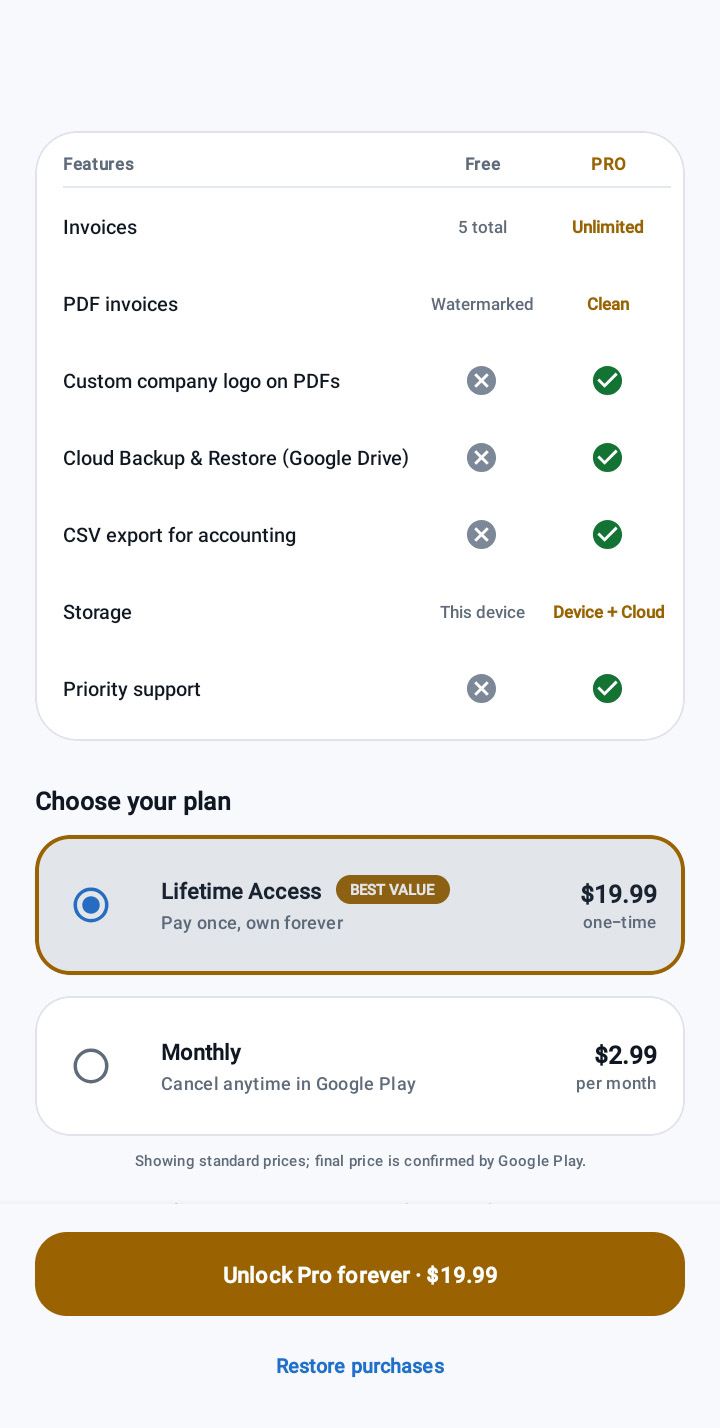
Try SnapInvoice with 5 free invoices. Upgrade to Pro monthly, or pay once and own it forever.
Try it on real jobs
No credit card needed
Pay once, own forever
Less than 7 months of monthly Pro
Cancel anytime in Google Play
Billed monthly through Google Play
Standard U.S. prices shown. Final price, taxes, and local currency are confirmed by Google Play at checkout. Already Pro? Tap Restore purchases in the app.
| Features | Free | Pro |
|---|---|---|
| Invoices | 5 total | Unlimited |
| PDF invoices | Watermarked | Clean |
| Custom company logo on PDFs | ||
| Cloud Backup & Restore (Google Drive) | ||
| CSV export for accounting | ||
| Storage | This device | Device + Cloud |
| Priority support |
Quick answers before you download.
Yes. You can create up to 5 invoices for free, forever. Free PDFs include a small SnapInvoice watermark. Upgrade to Pro any time for unlimited, clean, branded invoices.
Both unlock the exact same Pro features. Monthly is $2.99 per month and can be cancelled anytime in Google Play. Lifetime is a single $19.99 payment — no renewals, ever.
On your phone. SnapInvoice does not upload your invoices to Web4Less Pro servers. If you turn on Google Drive backup (Pro), a backup file is saved to your own Google Drive account, which only you control.
Sign in to Google Play with the same account, open SnapInvoice, and tap Restore purchases. Then use Restore from Google Drive to bring back your invoices.
Open Google Play → tap your profile → Payments & subscriptions → Subscriptions → SnapInvoice → Cancel. You keep Pro until the end of the period you already paid for.
All payments are processed by Google Play, so refunds follow Google Play’s refund policy. You can request one through Google Play, or contact us and we’ll do our best to help.
SnapInvoice is currently available for Android on Google Play. Contact us if you’d like to be notified about an iOS release.
Download SnapInvoice free on Google Play and create your first professional invoice in under a minute.
By downloading you agree to the SnapInvoice Terms of Use and Privacy Policy.